roposh

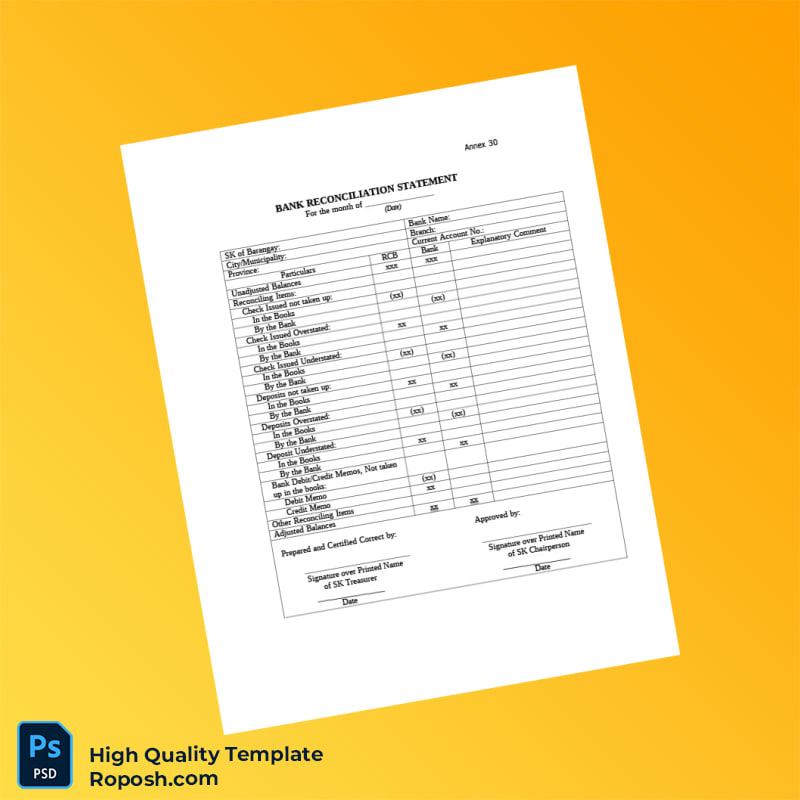
Bank Reconciliation Statement Template in Word and PDF formats

Elevate your financial documentation with the Bank Reconciliation Statement Template in Word and PDF formats, designed for high-fidelity outcomes in professional settings. Suitable for graphic designers, print operators, and professionals demanding precision.

  • Editable in Microsoft Word and PDF for flexible usage.
  • Vector-sharp text borders ensuring clean print quality.
  • Exact font matching maintaining document authenticity.
  • Standardized layout dimensions for uniform output.
  • Structured layers with optimized file organization for seamless editing.

Product price :

$ 22

Quantity
For permanent access, save our .is address:
Tap the button to copy the address
No Photoshop? | No Word?

✅ No Problem.

Use our Smart Online Editor to auto-fill details and adjust photos instantly.

(No software installation required) Start Online Editing 🚀

The Design Context for High-Fidelity Financial Templates

In professional design portfolios, educational projects, or financial mockups, the demand for pixel-perfect document templates cannot be overstated. Accuracy in layout and text clarity is paramount, especially for documents like bank reconciliation statements that require meticulous detailing. This template addresses the crucial need for high-fidelity assets by providing a layout engineered for precision and clarity, thereby eliminating common issues like pixelation and alignment errors. Designers and print operators can employ this asset to showcase their skills or finalize client deliverables with confidence, knowing the design meets rigorous standards of quality and accuracy.

Addressing Layout & Font Challenges Efficiently

Mismatched fonts and blurry edges are frequent obstacles in editable document templates. This bank reconciliation statement template resolves these issues through clean layer organization and pre-configured font styles that adhere strictly to industry standards. All textual elements are rendered with vector-sharp borders, ensuring crispness even under heavy magnification or large format printing. The intelligent layering system simplifies modifications, prevents accidental displacement of key design components, and enhances workflow speed. For a comprehensive overview on optimizing editable document layouts, review our guide on OCR-friendly Design.

Technical Specifications Deep Dive

This template is delivered with a high resolution of 600 DPI, optimized for print-ready output ensuring exceptional clarity in fonts and graphic elements. The design utilizes CMYK color mode, the industry-standard for print media, to maintain consistent color reproduction across different printers and substrates. Incorporating smart object layers enables users to replace graphics seamlessly without degrading quality, and vector layers provide scalable shapes that maintain smooth edges regardless of resizing. Such features collectively guarantee that text borders remain vector-sharp, essential in professional print documentation. To complement this asset, consider integrating the editable utility bill PSD for a comprehensive financial documentation suite.

Editing Workflow & Customization Guide

Editing this template involves straightforward procedures accessible via Adobe Photoshop or Microsoft Word. Text layers are fully editable with pre-defined styles to retain exact font matching. Replace photos or graphic elements using embedded smart objects to preserve layered integrity and layout alignment. Special fields, such as MRZ data or barcodes, have dedicated layers designed with strict structure protocols to maintain visibility and sharpness. Modifications should preserve these layer properties to comply with standardized layout dimensions and ensure a consistent design output. Expand your template collection effectively by adding the editable bank statement PSD to your resources.

Exporting & Printing Best Practices

For optimal results, export your finished work to PDF or high-resolution PNG, preserving the color profile and vector layering to avoid quality degradation. Choosing quality matte paper or premium cardstock enhances the tactile authenticity of printed mockups, crucial for presentation or portfolio inclusion. Calibrated printer settings that support CMYK profiles are recommended to maintain color accuracy and vector-sharp text borders. To finalize your comprehensive set of professional templates, consider the high-resolution bank statement PSD as a complementary asset.

Reviews

There are no reviews yet.

Be the first to review “Bank Reconciliation Statement Template in Word and PDF formats”

Your email address will not be published. Required fields are marked *

Terms of Use: This downloadable content is a conceptual template for private use and creative design. It carries no official status and is not a substitute for legitimate government or financial documentation. Usage for deceit, fraud, or any illegal activity is forbidden. The buyer is fully responsible for ensuring their use of this template complies with all applicable laws.

Add Funds

×
Hey there! Ask me anything!
Scroll to Top



