
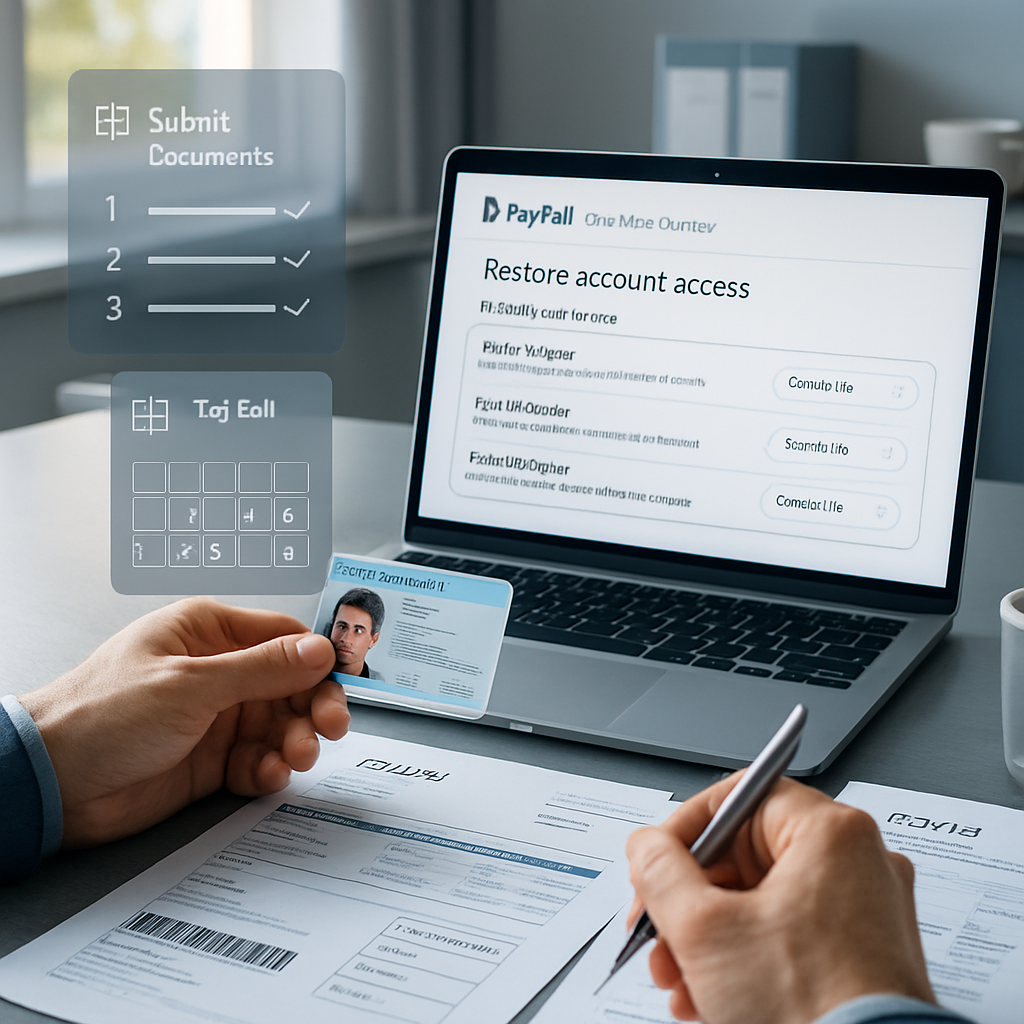
Facing a limited PayPal account can disrupt your business flow, but preparing the right documents efficiently can help you restore limited PayPal account access faster. Using clear, well-organized templates ensures consistency across supplier invoices, proof of fulfillment, and photo ID verification, streamlining the submission process and reducing potential delays.
This guide provides a comprehensive document checklist and step-by-step instructions to help you navigate PayPal account limitation removal with accuracy and professionalism. You’ll learn how to prepare each submission type correctly, match transaction details precisely, and follow PayPal’s guidelines to avoid common pitfalls during the account verification process.
Let’s explore how to organize and upload your documents effectively to restore your limited PayPal account and minimize the time needed for review. These instructions focus on supporting your recovery efforts and do not guarantee restoration by PayPal.
Restoring a limited PayPal account requires careful preparation and submission of specific documents. This guide outlines the critical steps and document checklist to help you navigate PayPal’s account limitation removal process efficiently.
- Identify all reasons for limitation: Understand why PayPal limited your account to address issues precisely and provide relevant documentation.
- Prepare supplier invoices accurately: Ensure invoices are clear, show transaction details, and match your PayPal activity to establish transaction legitimacy.
- Submit proof of fulfillment thoroughly: Provide tracking numbers, delivery confirmations, or service completion evidence properly formatted for PayPal’s review.
- Verify photo ID clearly: Use current, government-issued IDs with visible details and without alterations for faster identity confirmation.
- Follow PayPal’s submission guidelines exactly: Format and combine documents as instructed to avoid delays caused by improperly organized files.
- Track your document review timeline: Be aware of processing times and follow up politely if restoration takes longer than expected.
- Implement safeguards to prevent future limits: Maintain transparent transactions, timely responses, and accurate records to reduce risk of re-limitation.
- Leverage a comprehensive checklist: Use a step-by-step approach to prepare and submit documents, minimizing errors in the account verification process.
Next, we will guide you through each submission step in detail, demonstrating how to organize and upload your documents efficiently to restore your limited PayPal account. These instructions are for account recovery support and do not guarantee restoration by PayPal.
Understanding PayPal Account Limitations
Common Reasons for PayPal Account Limitations
PayPal may impose limitations on accounts for various reasons, usually to protect the platform and its users from potential fraud or suspicious activities. Some frequent causes include:
- Unusual transaction patterns, such as sudden spikes in sales volume or high-value transactions inconsistent with past activity.
- Disputes or chargebacks reported by buyers that signal potential transaction issues.
- Inconsistencies or missing information in account details, such as mismatched addresses or incomplete identity verification.
- Violations of PayPal’s policies, including prohibited items or services.
- Security concerns, including multiple failed login attempts or suspected unauthorized access.
Understanding the specific reason for your account limitation will help you target the appropriate documentation during the restoration process. PayPal typically notifies users of the limitation’s cause within the account dashboard or via email.
Impact of Limitations on Account Functions
When your PayPal account is limited, several essential functions are restricted, and being aware of these impacts will help you prepare to manage your account effectively during the restoration period:
- Inability to send or receive payments, which can halt business operations.
- Restrictions on withdrawing funds, potentially locking money in your PayPal balance.
- Limitations on adding or changing funding sources and linked bank accounts.
- Suspended account features such as mass payments or linked merchant services.
Because these restrictions directly affect account usability, expedient action combined with correct document submission is critical to restoring full functionality.
Essential Documents for Restoring Your Limited PayPal Account
Supplier Invoices: Preparing Accurate and Clear Documents
Supplier invoices play a key role in demonstrating the legitimacy of your transactions. To ensure these documents effectively support your restoration request, they must be precise and professionally formatted:
- Invoice Details: Clearly display the invoice number, issue date, and payment terms to establish a traceable record.
- Supplier Information: Include full company name, address, contact details, and tax identification numbers if applicable.
- Transaction Breakdown: List all products or services involved, quantities, unit prices, and total amounts, matching the PayPal transaction data exactly.
Invoice amounts and dates should coincide precisely with the related PayPal transactions to avoid delays caused by discrepancies. Use professional templates that maintain visual consistency and clarity across multiple invoices. For quick setup, explore our invoice sample templates, which are customizable and streamline documentation.
Proof of Fulfillment: Substantiating Transaction Completion
Providing clear proof that products or services were delivered is essential to confirming transactions on PayPal’s side. Effective proof of fulfillment documents include:
- Carrier Tracking Details: Use official tracking numbers that directly link to the status of shipment deliveries. Screenshots or printouts should show full tracking information, including delivery confirmation dates.
- Signed Delivery Receipts: Physical or electronic signatures by the recipient verify receipt of goods or services.
- Service Completion Proof: For non-tangible goods, submit contracts, work completion certificates, or email acknowledgments from clients.
Our proof of fulfillment documentation templates assist in structuring evidence clearly and professionally, reducing review times.
Photo ID Verification: Guidelines for Clear and Acceptable IDs
Photo identification is crucial for confirming your identity during PayPal’s account verification process. To expedite review, adhere to the following guidelines:
- Document Types: Use government-issued IDs such as valid passports, driver’s licenses, or national identity cards accepted by PayPal.
- Image Quality: Provide high-resolution scans or photographs with all edges visible. The image must be sharp and free from glare or shadows.
- Document Condition: Avoid any alterations, blurring, cropping, or edits. Expired documents will be rejected, so ensure your ID is current.
Submitting compliant, clear photo IDs significantly accelerates identity verification compared to partial or unclear submissions.
Step-by-Step Process to Submit Documents for PayPal Account Limitation Removal
Organizing Your Document Files Correctly
Properly managing document files before submission drastically reduces processing delays and potential rejections. Follow these preparation steps:
- File Format: Convert documents to PayPal’s preferred formats, typically PDF for invoices and proof of fulfillment, and JPEG or PNG for photo IDs.
- Naming Conventions: Name each file descriptively to reflect its contents, such as “Invoice_1234_March2024.pdf” or “Tracking_Shipping_Confirm.pdf.”
- Legibility and Integrity: Verify each document is clear, legible, and unaltered. Avoid compressing files excessively to maintain image quality.
Attention to file organization helps PayPal’s review teams process requests without confusion or additional clarification, speeding up your account restoration.
Uploading Documents Through PayPal’s Resolution Center
Submitting your documents through the official PayPal channels ensures secure handling and correct routing. Follow these practical instructions:
- Access Your Account: Log in and navigate to the notification banner or the Resolution Center within your PayPal dashboard indicating the limitation.
- Locate Submission Section: Find the ‘Resolve’ or ‘Submit Documents’ option clearly presented for limited accounts.
- Attach Files Carefully: Upload all required documents as per instructions, ensuring no files are missing.
- Provide Explanations When Required: Use text fields to accurately explain how the attached documents relate to the limitation cause, referencing invoice or tracking numbers as needed.
Tracking Review Timelines and Responding Effectively
Understanding PayPal’s review process timelines and maintaining proactive communication is key to restoring your account promptly:
- Review Duration: Typical document review can take anywhere from 3 to 21 business days depending on volume and case complexity.
- Prompt Follow-Up: If PayPal requests additional documentation or clarification, respond swiftly and with precise information to avoid repeated delays.
- Documentation Records: Retain copies of all submissions and correspondence, as these may be needed for future reference or escalation.
Timely, well-organized responses reflect professionalism and increase the likelihood of faster limitation removal, transitioning smoothly into best practices for preventing future issues.
Best Practices to Prevent Future PayPal Account Limitations
Maintaining Transparent and Verifiable Transactions
Avoiding future account limitations starts with establishing clear and authentic transaction records. Use accurate product descriptions and truthful listings within your PayPal activity. Keep reconciled records between invoices, sales, and shipment proof to eliminate discrepancies that trigger account flags.
Timely Responses and Accurate Record Keeping
Engage promptly with PayPal notifications and maintain thorough, organized documentation to facilitate easier resolution:
- Standardize your business documents by utilizing professional templates to maintain consistency.
- Regularly update supplier invoices and proof of fulfillment logs to reflect the latest transactions accurately.
For streamlined document management, consider professional templates like the India Arkspade Technologies invoice template, enabling faster and error-free documentation.
Comprehensive PayPal Document Checklist for Account Restoration
Before submitting, verify that your documents satisfy all criteria to prevent common errors:
- Clearly state the reason(s) for the limitation in your cover letter or explanation section.
- Prepare complete supplier invoices that exactly match the transaction amounts and dates shown in PayPal records.
- Gather authentic and verifiable proof of fulfillment, such as tracking numbers and signed delivery confirmations.
- Submit unaltered, valid photo IDs compliant with PayPal’s specifications.
- Organize and format files correctly (PDF/JPEG) and name them descriptively.
- Monitor your submission status regularly and communicate courteously with PayPal representatives.
Additional Resources for Efficient PayPal Account Recovery
Increasing transaction legitimacy can reduce the risk of future limitations. Utilize expert guides on verifying seller authenticity, which helps build trust and smooth interactions within PayPal.
Learn more about identifying reliable sellers and maintaining verified PayPal accounts with our expert resource here: spot genuine sellers for verified PayPal accounts.
Conclusion
Successfully navigating PayPal account limitations requires a clear understanding of why restrictions occur and the specific documents essential for resolution. Accurate, professionally prepared invoices, verifiable proof of transaction fulfillment, and compliant photo identification form the cornerstone of restoring account functionality. Equally important is organizing and submitting these documents correctly through PayPal’s Resolution Center to ensure a smooth review process.
Utilizing editable document templates not only accelerates preparation but also promotes consistency and clarity, reducing the risk of delays or rejections. Templates designed with locale-appropriate formatting and reusable components can streamline recurring submissions and help maintain professional standards in transaction documentation.
Moving forward, maintaining transparent records and prompt responses to PayPal communications is essential for avoiding future limitations. By leveraging reliable document templates—such as the invoice sample templates and proof of fulfillment documentation templates—you can improve both the efficiency and quality of your account management practices. Embracing these tools empowers you to uphold operational continuity and prepare confidently for any potential account reviews ahead.