
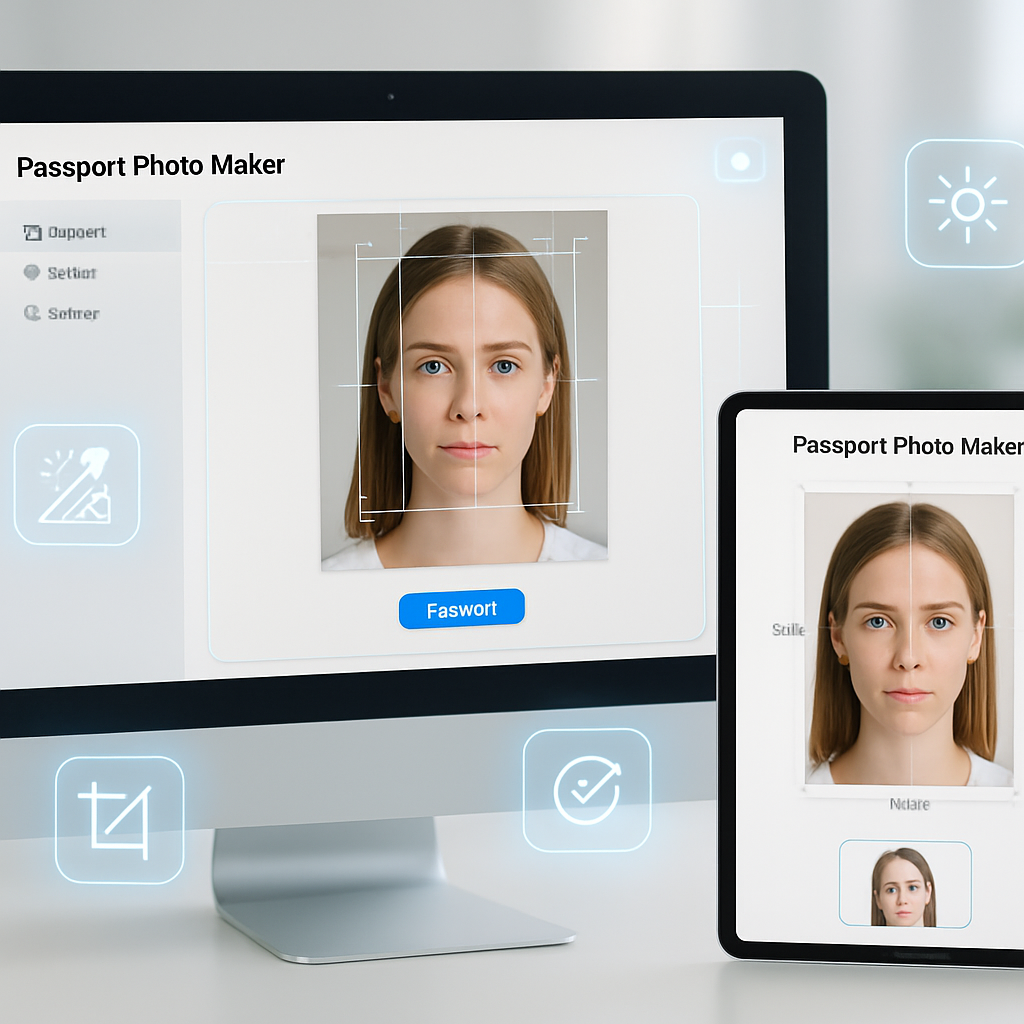
Creating a compliant biometric passport photo can be challenging without the right tools. A free passport photo maker streamlines this process, offering quick and accurate solutions with AI-powered features like background removal and automatic cropping. These tools ensure your photo meets ICAO 9303 standards for size, lighting, and proper head positioning, helping you avoid common errors that delay visa or ID applications.
By using an online passport photo maker, you gain convenience and precision without installing any software. This guide will walk you through the key steps to produce official-quality visa and ID photos tailored to various countries’ requirements. From understanding biometric photo criteria to leveraging AI enhancements, you’ll learn how to generate clean, ready-to-use images effortlessly.
Let’s explore how these free biometric passport photo makers simplify your photo preparation while ensuring accuracy and compliance. These templates and tools are intended for personal, official application photo preparation; always verify specific embassy photo requirements before submission.
Using a free passport photo maker online simplifies the creation of compliant biometric visa and ID photos tailored to international standards. This article covers essential tips to produce accurate, ready-to-use passport photos quickly with AI assistance.
- Ensure ICAO 9303 compliance: Follow official biometric passport photo standards to meet size, lighting, and background requirements recognized globally.
- Utilize AI-powered features: Take advantage of automatic background removal, cropping, and sizing tools to enhance photo accuracy and save editing time.
- Confirm country-specific criteria: Check supported countries and visa types to guarantee your photo matches local embassy and consulate rules.
- Access free and convenient tools: Use online passport photo makers that require no software installation, offering instant previews and downloads.
- Recognize the importance of accuracy: Beyond cost and convenience, prioritize the photo’s biometric precision to avoid visa and ID application rejections.
- Follow step-by-step guidance: Learn how to create compliant passport photos online correctly, ensuring acceptable background color, head positioning, and expression.
Next, explore detailed features of leading free biometric passport photo makers and how AI streamlines background removal and sizing for visa photo compliance. These templates and tools are intended for personal, official application photo preparation; always verify specific embassy photo requirements before submission.
Understanding Biometric Passport Photo Standards (ICAO 9303)
Creating a compliant passport photo starts with understanding the ICAO 9303 standards, which establish uniform technical specifications for biometric identification. These standards dictate precise photo size, head dimensions, positioning, color balance, and lighting characteristics to enable reliable automated facial recognition worldwide. Ensuring your photo meets these criteria reduces the risk of rejection by government authorities or visa offices.
Key Requirements of ICAO 9303 for Passport Photos
According to ICAO 9303, the photo must measure 35mm by 45mm with the head occupying 70-80% of the frame. The subject must face the camera directly with a neutral expression, eyes open and visible, and mouth closed. The background should be uniformly light-colored without shadows or patterns. Lighting must be diffuse and even to prevent shadows and hot spots.
The photo should be printed on high-quality photographic paper or submitted as a digital image with appropriate resolution and color fidelity. These exacting technical criteria ensure that facial biometrics can be accurately extracted for identification algorithms.
Common Challenges in Meeting ICAO Compliance
- Measuring the head size precisely to fit biometric templates without cropping essential features
- Maintaining a pure, evenly lit background with no reflections or shadows
- Avoiding unnatural facial expressions or head tilts while maintaining correct posture
Overcoming these challenges often requires multiple retakes or edits, highlighting the need for tools that assist in precision and compliance from the start. This foundation allows us to explore how free passport photo makers online can streamline this process.
Benefits of Using a Free Passport Photo Maker Online
Free online passport photo makers are revolutionizing the way users create compliant biometric photos by integrating AI technologies and user-friendly interfaces. Without any installation, these platforms can be accessed from desktops, tablets, or smartphones, maximizing convenience for last-minute and remote usage scenarios.
Convenience of No Software Installation
Eliminating software installation removes barriers such as download size, compatibility issues, and update requirements. Users gain instant access to passport photo creation capabilities simply via a web browser, making the process accessible regardless of device or technical expertise.
AI-Powered Features Streamlining Photo Preparation
- Automatic background removal replaces complex manual editing with one-click clean backgrounds meeting embassy-specified colors (usually white or light gray)
- Intelligent cropping dynamically positions and scales the subject’s head according to biometric templates, avoiding guesswork and manual adjustments
- Auto-enhancements improve lighting balance and skin tone clarity to ensure that facial features are distinct and well-defined for biometric scanning
Time-Saving Advantages Compared to Traditional Methods
Traditional passport photos often require physical studio visits, printing, and manual resubmissions. In contrast, free online passport photo makers let users upload a single selfie and quickly generate multiple compliant versions suitable for different countries and visa types. This can reduce editing and approval time by over 50% in example scenarios, accelerating overall application turnaround.
Having established the advantages of utilizing online tools, let’s delve into a step-by-step guide on creating compliant passport photos efficiently using these platforms.
Step-by-Step Guide to Creating Compliant Passport Photos Online
Step 1: Choose a Reliable Free Passport Photo Maker
Select a photo maker specifically supporting your country of application and visa type to ensure embedded compliance presets. For example, platforms like the free passport photo maker online for USA, UK, Schengen offer tailored templates and standards adherence curated per region.
Step 2: Upload a Suitable Selfie or Photo
- Use a photo with a neutral background and clothing that contrasts well with your skin tone to aid automated background separation
- Ensure your face and shoulders are clearly visible, well lit, and free from shadows or reflections on glasses
Step 3: Use Automatic Background Removal and Adjust Background Color
Leverage AI-powered background removal tools that isolate your face and replace the original backdrop with embassy-approved colors, bypassing manual image editing. This step ensures consistent background luminance and eliminates common compliance errors due to background issues.
Step 4: Crop and Resize the Photo Precisely
Follow on-screen biometric guides that show the proper alignment for head height, eye level, and overall dimensions. The cropping tool dynamically helps to fit your face into the correct size, maintaining required spacing around the head and shoulders, which is crucial for automated checks.
Step 5: Review and Download the Final Photo
Use the preview feature to examine the photo at its full resolution, checking for any shadows, color distortions, or posture issues. Once satisfied, download your image in the recommended format and resolution, ready for submission. Repeated previewing and adjustments help reduce rejection risks during application processing.
With these clear creation steps, it’s important to recognize that different countries have specific nuances in photo requirements, which leads us to explore country-specific standards next.
Country-Specific Passport Photo Requirements and Supported Visa Types
Understanding Photo Criteria for Popular Countries
- United States: 2×2 inch (51x51mm) color photo with white background and strict head size rules
- Schengen Area: 35x45mm photo with light gray or white background and very specific biometric proportions
- United Kingdom: 35x45mm, with defined head heights and neutral expression criteria for biometric visas
How Free Biometric Passport Photo Makers Adapt to Local Rules
Leading free passport photo makers integrate country-specific presets that automatically set dimensions, background hues, and cropping parameters, accommodating different regions’ unique demands. For further enhancements and offline customizations, editable PSD files such as USA New York ID card templates provide designers with layered structures compatible with these standards, allowing professional-level control.
Understanding precise requirements per country is essential for accuracy, which leads directly to techniques that help avoid common errors.
Tips for Ensuring Accuracy and Avoiding Common Errors
Maintaining Correct Head Position and Facial Expression
- Keep your head centered and facing the camera straight on, avoiding tilts or rotations
- Maintain a neutral expression, with both eyes open, mouth closed, and no exaggerated smiles
Ensuring Proper Lighting and Avoiding Shadows
Use diffuse natural light or soft artificial lighting to avoid harsh shadows across your face or background. Position yourself facing the light source to ensure facial features are clearly visible with even illumination.
Verifying Background Color Meets Embassy Requirements
Utilize built-in background removal and replacement features in photo maker tools to guarantee your image’s backdrop meets embassy color standards without manual editing. This feature significantly reduces the chance of rejection due to improper background colors or uneven lighting.
While these tips boost compliance, it’s important to apply passport photo tools ethically and legally, which we will address next.
Legal & Ethical Use of Passport Photo Maker Tools
- These tools are intended solely for legally preparing personal visa and identification photos that comply with embassy or government guidelines
- Always verify your photo against the latest official requirements from the respective embassy or consulate prior to submission
- Use these tools responsibly and avoid misuse for unauthorized or fraudulent activities to remain within lawful boundaries
Adhering to these principles ensures that passport photo tools serve as legitimate aids in document preparation, lending confidence and accuracy throughout the process.
Advanced Features of Leading Free Biometric Passport Photo Makers
How AI Enhances Photo Quality and Compliance
- Highly accurate background removal separates the subject cleanly from complex or noncompliant backdrops
- Real-time biometric size detection dynamically measures head dimensions and guides cropping, reducing manual input errors
- Automatic light correction optimizes brightness and contrast to enhance facial feature clarity critical for biometric validation
Integration with Editable Templates for Customization
For users needing extended control, combining online photo makers with editable PSD templates offers powerful flexibility. Collections such as the passport PSD template collection provide layered, editable formats tailored to various countries, allowing users or professionals to adjust design elements while maintaining ICAO 9303 compliance.
This integration streamlines workflows for graphic designers and agencies preparing official document visuals, enhancing both efficiency and accuracy.
Additional Resources and Tools for Passport Photo Preparation
Editable ID Card and Visa Templates for Further Customization
Explore comprehensive ID card PSD templates within the ID card PSD templates category to complement passport photos with professional-grade identification card designs. These templates facilitate easy editing and print-ready results aligned with official ID standards.
Selfie with Passport PSD Templates for Enhanced Presentation
Access combined selfie and passport photo PSD templates such as those found at Selfie with Passport PSD templates. These mockups offer a polished presentation with layered customization for personal or professional project needs, enabling cohesive document showcases.
Conclusion
Understanding and adhering to ICAO 9303 biometric passport photo standards is fundamental for creating photos that meet strict government criteria across various countries. Utilizing free passport photo maker online tools offers a streamlined, efficient approach by integrating AI-powered features such as automatic background removal, precise cropping, and lighting enhancement. These technological advances significantly reduce manual effort, help maintain compliance with locale-specific requirements, and accelerate the overall photo preparation process.
By selecting reliable platforms tailored to specific regional standards and following structured creation steps, users can produce high-quality photos that fit exact biometric dimensions and presentation guidelines. Complementing these tools with editable PSD templates provides additional customization options for professionals seeking greater control over design elements while ensuring technical accuracy. This fusion of automation and flexibility supports both individual users and agencies aiming for consistency and precision in document visuals.
As the demand for fast, accessible passport photo solutions grows, embracing these digital tools fosters greater efficiency without compromising quality. Moving forward, challenge yourself to leverage these innovations responsibly and explore customizable templates to elevate your document preparation workflow, ensuring each photo meets evolving standards with confidence and professionalism.