

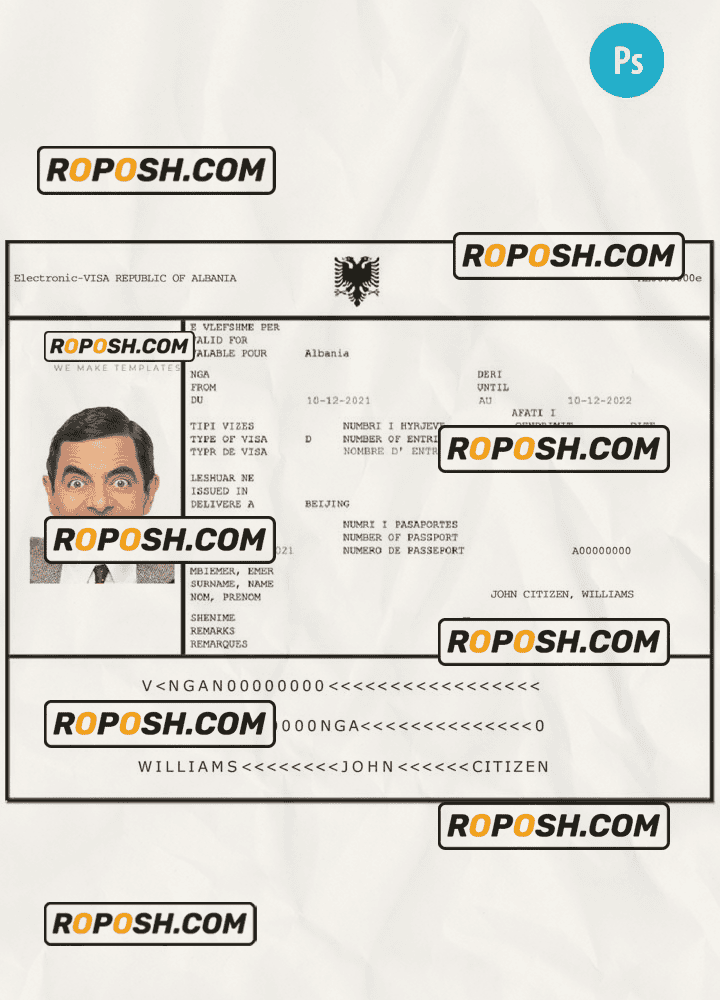


The Design Context
In professional graphic design and document mockups, high-fidelity editable templates are essential for achieving a polished and authentic appearance. For designers specializing in official documentation, educational presentations, or portfolio expansions, finding pixel-perfect, print-ready assets can be challenging. The ALBANIA Electronic Visa PSD template, with fonts addresses these demands by delivering a product optimized for accuracy, clarity, and seamless customization. Quality and layout fidelity are paramount when producing documents that require precise structural adherence. This template supports these requirements with its standardized dimensions and layered architecture, enabling designers to create impactful visual representations that are both visually compelling and structurally sound.
Addressing Layout & Font Challenges
Many editable templates fall short due to font mismatches, blurry borders, or disorganized layers that complicate editing workflows. This PSD template solves these issues by incorporating exact font matching based on official specifications, ensuring every text element maintains vector-sharp edges and a refined look. The layer organization is clearly structured to facilitate straightforward navigation through backgrounds, text fields, and security elements like MRZ zones. By maintaining a clean and logical layout, users avoid common pitfalls such as misplaced elements or inconsistent typography, which are critical for producing high-resolution outputs.
For additional resources on templates with OCR-compatible designs and layout precision, View all Albania Editable Templates to explore complementary assets.
Technical Specifications Deep Dive
This template is delivered at a high resolution of 300 DPI to guarantee crisp, print-quality results suitable for professional output. The document color mode is CMYK, optimized for physical printing processes. Strategic use of smart objects allows seamless editing of embedded images and graphical elements without quality degradation. Vector layers provide scalability with no loss of sharpness, critical for resizing text or logos while preserving print-ready clarity. The MRZ (Machine Readable Zone) is constructed with correct layer structures and typographic standards, supporting realistic document mockups.
To complement your design, consider integrating the Editable Utility Bill PSD, which matches the template’s quality and editing flexibility.
Editing Workflow & Customization
Editing the template is streamlined for professionals using Adobe Photoshop. Begin by opening the PSD file and locating the text layers grouped logically. Thanks to smart objects, double-clicking image placeholders like the applicant photo opens a new window where you can replace or update images without affecting the overall layout. For textual modifications, layers employ exact font matching and sizing to prevent typographic inconsistencies. Particular attention is given to security features such as MRZ or barcode sections, which are locked or grouped to preserve the structural integrity of these complex elements during editing.
Expand your design library by adding the Albania marriage certificate Word and PDF template, fully editable, offering additional document assets for comprehensive project kits.
Exporting & Printing Best Practices
For final outputs, exporting your edits as high-resolution PDF or PNG files is recommended to maintain fidelity across digital or physical mediums. Ensure the export settings preserve CMYK color profiles and 300 DPI resolution to retain the expert print quality. When printing physical mockups, use heavyweight matte or semi-gloss paper to replicate the texture and finish of official documents accurately. This attention to detail enhances the visual authenticity and tactile experience of your printed pieces.
To finalize your professional document collection, consider the Albania death certificate template in PSD format, fully editable, completing your portfolio with standardized, editable certificates.
Layer & Field Breakdown
| Layer Group | Description | Editable? | Sample Data |
|---|---|---|---|
| Background | Base visual elements and patterns | No | Security holograms, watermark patterns |
| Text Fields | Personal and official information layers | Yes | Name, Date of Birth, Nationality |
| MRZ Zone | Machine-readable zone layer with encoded text | Restricted* (structural edits only) | ABCD1234567890 |
| Photo Placeholder | Applicant image smart object | Yes | Sample passport photo |
| Security Elements | Barcodes, logos, seals | No | Official hologram graphics |
Precision Editing for Professional Results
To maintain professional standards during editing, always preserve locked layers such as security elements and MRZ structures to avoid distortion. Use the font files included in the package to ensure exact typographic results. When updating photographs, replace via the smart object layers to keep consistent resolution and positioning. Leverage Photoshop guides and rulers provided within the file to align text and imagery with standardized dimensions. These best practices result in high-end deliverables that meet stringent design accuracy requirements.




Reviews
There are no reviews yet.