
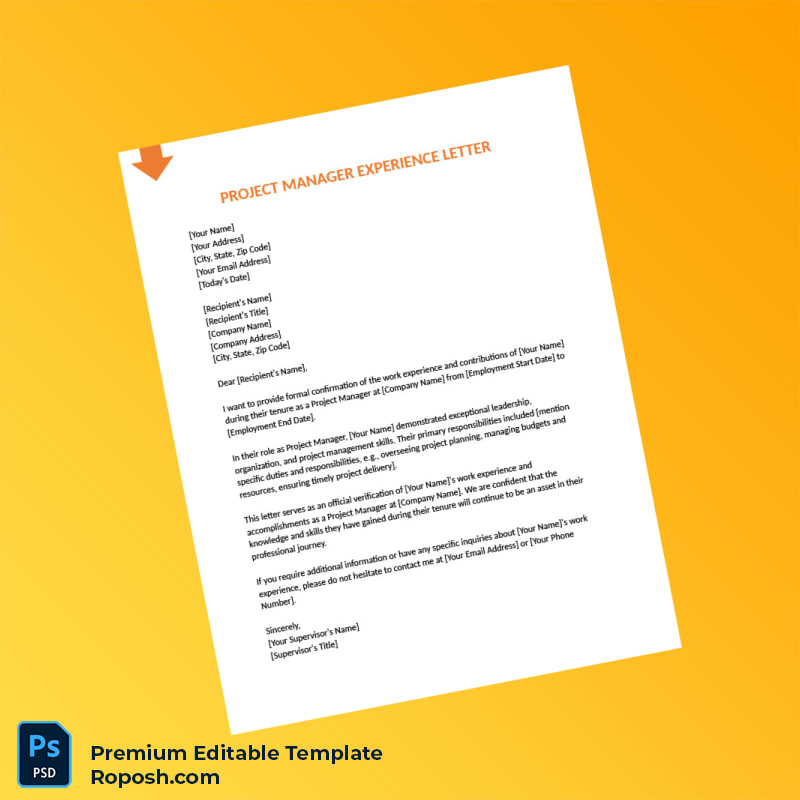


The Design Context
In professional environments, especially in graphic design portfolios, educational documentation, or corporate mockups, having access to high-fidelity templates is essential. A meticulously crafted experience letter template not only ensures clarity but upholds the precision needed for serious documentation purposes. Many designers encounter the challenge of finding or creating templates with pixel-perfect layouts that maintain crispness across various output methods. This Customizable Project Manager Experience Letter Word & PDF Template addresses these demands by ensuring design quality and accuracy from screen to print. The template is developed to support exact font matching and vector-sharp text borders, providing a seamless experience for professionals requiring printed or digital proofs without compromising quality.
Addressing Layout & Font Challenges
Layout inconsistencies and font mismatches can severely impact the perceived quality of professional letters. This template eliminates such issues through cleanly structured text layers and embedded fonts that match industry-standard typography precisely. Blurry or pixelated text borders are avoided with carefully vectorized elements and properly defined text boundaries. Furthermore, the template’s layer organization allows users to navigate and edit with ease, assuring that changes do not affect the overall design integrity. For comprehensive insight into designing OCR-friendly documents and understanding font optimization, review our guide on OCR-friendly Design which complements this template’s design principles.
Technical Specifications Deep Dive
This template is set at a print-ready resolution of 300 DPI, ensuring every element prints sharply without pixelation. It leverages the CMYK color mode optimized for professional printing presses, guaranteeing color fidelity across different media. Smart Object functionalities are integrated within the layered PSD source for easy updates without loss of quality. Vector layers are employed for all text and line art, preserving crisp edges and smooth scaling, essential for various print sizes. These technical specifications translate to vector-sharp text borders and standardized layout dimensions, critical for high-quality output. To complement this project, consider adding the Editable Utility Bill PSD, designed with similar technical precision for comprehensive project documentation.
Editing Workflow & Customization
Editing this template is streamlined for professionals utilizing both Photoshop and Microsoft Word. The text layers are unlocked and labeled systematically, enabling straightforward customization of all fields including position titles, dates, descriptions, and personal data. Image placeholders are designed as Smart Objects, allowing non-destructive updates of photographs or logos. Special attention is given to preserving the MRZ layer structure and barcode placement, ensuring the document retains its professional layout integrity. Users should update textual information while maintaining font styles to guarantee exact font matching and seamless integration. To further enhance your design library, explore the Editable Business Verification Letter Word Template, an asset that aligns with advanced document editing workflows.
Exporting & Printing Best Practices
Finalize your document exports in either PDF or PNG formats to ensure maximum quality retention. When exporting PDFs, use the highest quality print settings and embed all fonts to maintain vector-sharp text borders. Choosing quality paper stock with appropriate weight and finish enhances physical proofs or print jobs, contributing to authentic representation. For optimized print results, avoid scaling beyond designed dimensions to preserve standardized layout spacing. Consider completing your collection with the Editable Corporate Experience Letter Download, designed for finalizing professional document sets with consistent design precision.




Reviews
There are no reviews yet.