
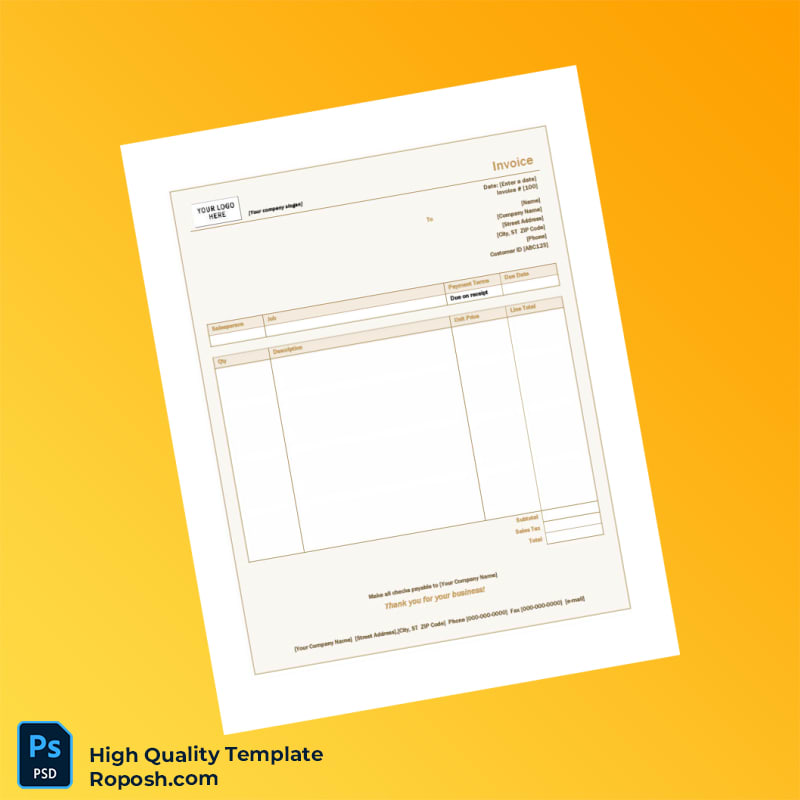


The Design Context
High-fidelity invoice templates are essential assets in professional design portfolios, client presentations, and business educational projects. Achieving pixel-perfect layouts ensures that the final printed or digital product maintains brand consistency and sharp visual impact. In the realm of document templates, accuracy in typography, spacing, and alignment directly influences client perceptions and the overall aesthetic appeal. Locating a reliable template that adheres to these rigorous standards is challenging, especially when subtle inconsistencies can lead to blurry edges or font mismatches. This template addresses these core issues by prioritizing vector-sharp text borders and exact font matching within a structured layout environment, offering a dependable foundation for producing flawless invoices across multiple industries.
Addressing Layout & Font Challenges
Common challenges when using invoice templates include inconsistent font styles, unintended blurriness around text, and disorganized layer structures causing confusion during editing. The Invoice Template for Businesses PDF resolves these by integrating clean layer organization with standardized layout dimensions. Fonts are embedded with exact matches to popular professional typefaces, guaranteeing the text remains sharp and consistent throughout print and screen usage. Vector layers underpin text borders, eliminating fuzziness even at high zoom levels. Users benefit from an intuitively structured PSD and Word file system that simplifies the editing process and reduces errors. Review our guide on OCR-friendly Design for an extended understanding of font clarity and text layer optimization for document templates.
Technical Specifications Deep Dive
This invoice template is configured at 300 DPI resolution, optimal for offset printing and detailed digital displays. It uses CMYK color mode to ensure color accuracy on physical prints, while maintaining RGB variants for screen preview and digital use. Smart Object layers allow effortless content replacement without compromising design integrity, thus maintaining vector-sharp edges and exact placement parameters. Vector shape elements are incorporated extensively, enabling infinite scaling without pixelation—a critical feature for professionally printed invoices where clarity is non-negotiable. The file structure includes meticulously labeled groups and subgroups, streamlining navigation and customization. In addition, cohesive font pairing and color swatches ensure visual harmony across sections. Enhance your document toolkit by exploring the Editable Utility Bill PSD, designed to complement invoicing workflows with high-resolution reliability.
Editing Workflow & Customization
Editing this template involves straightforward steps catered to professionals with intermediate design knowledge. In Photoshop, text layers are fully editable—replace company names, invoice numbers, and terms using the text tool. Smart Object layers contain logos and signature elements; double-clicking opens separate files for precise logo replacements without disrupting the main layout. For Word users, predefined text fields allow direct content input with consistent font application ensured via locked styles. Barcode and MRZ fields are designed with exact layer composition; it is important when modifying these elements to maintain the underlying structural layers to preserve vector precision and prevent layout shifts. For expanding your editing resources, the Editable Medical Registration Template in Word and PDF further supports varied documentation needs in a cohesive design system.
Exporting & Printing Best Practices
When finalizing your invoice, export options include high-quality PDF for print and PNG for digital distribution. PDFs should be exported using standard print profiles ensuring color fidelity and vector elements remain intact. Select paper stock with a smooth finish to accentuate sharp text borders and color vibrancy for physical mockups. Avoid low-quality or textured papers which introduce visual noise reducing perceived clarity. For completing your document suite with consistent print-ready formats, refer to the Professional Invoice Template in Word and PDF for extended usage scenarios.




Reviews
There are no reviews yet.